


From table orders to payment
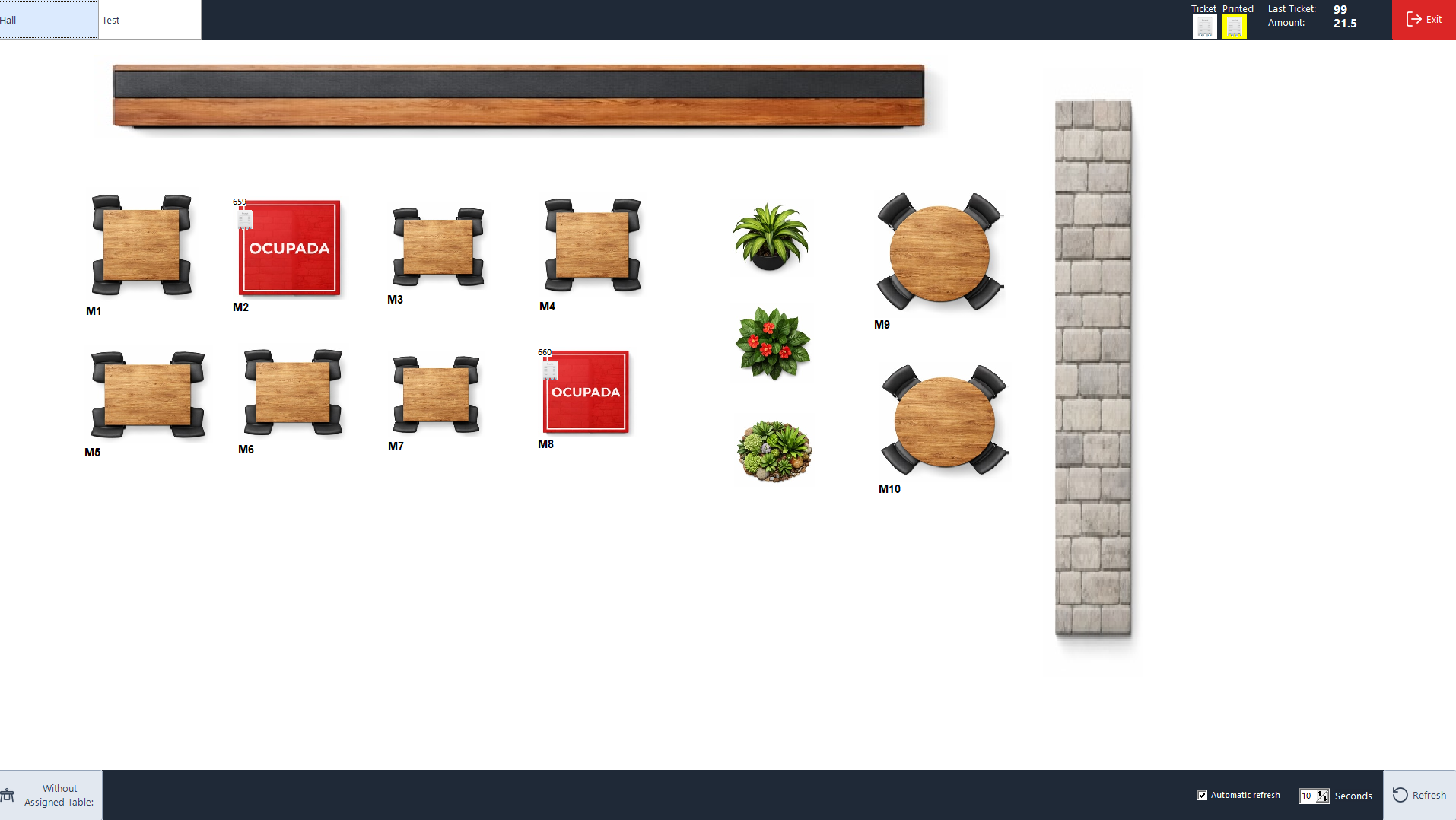
Open a table from the floor plan, take the order and send it to the kitchen. When guests ask for the bill, bring up the table’s sale and take payment in Sysme POS for Windows.
Download Sysme POSTry it for free with a daily sales limit of €100.
How it works during service
Organise your dining areas
Set up dining rooms and terraces. See which tables have open sales and return to each one as service progresses.
Take orders and send them to the kitchen
Group dishes by category, add notes to orders and send the items that need preparing to the kitchen.
Take payment and issue a receipt or invoice
Bring up the table’s bill at the till and close the sale using the appropriate payment method.
Tools for restaurant service
Manage table reservations at the till
When a customer calls to book a table, record the reservation in the sales terminal. Your team can check the day’s bookings in the same POS they use for table orders and payment. Staff enter and manage the reservations directly in Sysme POS.
Take orders at the table with Mobile
Open the table and add dishes from a phone or tablet connected to the restaurant’s local network. Review the open bill, add another round and send the order to the kitchen from the device. The bill remains available at the till for payment at the end of the meal.
Set up set menus, combinations and extras
Choose which options go with each item. A set lunch menu can offer several choices at no extra charge. A pizza can have paid toppings, and a spirit can be paired with a single mixer. Staff select the options as they take the order.
Send preparation notes with each dish
Save common notes such as “rare”, “medium” or “no onion” so staff can select them during service. You can set the POS to prompt for preparation options when a dish is added. The note goes to the kitchen with the relevant item.
Route dishes to different kitchen printers
Assign a kitchen printer to each product. Hot dishes can go to the main kitchen printer, while cold dishes print at their own prep station. You can also exclude items the kitchen does not need to see.
Track orders on the kitchen display
On a computer connected to the local network, the kitchen team can see orders from the POS and Mobile, including quantities, notes and options. Staff can mark a dish or the whole order as served. The till shows an alert so front-of-house staff know the order is ready to collect.
Table ordering with Sysme QR Menu
Place a QR code on each table so guests can browse the menu, choose their options and send an order from their phone’s browser. You can accept orders directly or require authorisation by PIN or QR code. If online payment through Redsys is enabled, guests can also pay from their phones. Orders reach Sysme POS through Cloud and SysmeSync, and the POS sends them to the kitchen.
Touchscreen self-service with Sysme Kiosk
In a quick-service restaurant, guests can choose a meal, add extras and confirm their order on a touchscreen. Depending on your setup, they can pay at the counter or by card using a compatible Comercia Global Payments terminal. Kiosk runs on Windows and connects to Sysme POS through Cloud and SysmeSync, bringing self-service orders into the kitchen workflow.
