


Control your business from anywhere. Sysme Cloud connects with Sysme POS so you can check the activity of your locations and manage products, prices and stock from any device.
All data stays synchronised with Sysme POS and, if you have several locations associated with the same tax ID, you can manage them from a single account while keeping the information for each location separate.
Not using Sysme Cloud yet?
Activate it directly from Sysme POS and enjoy a one-month free trial.
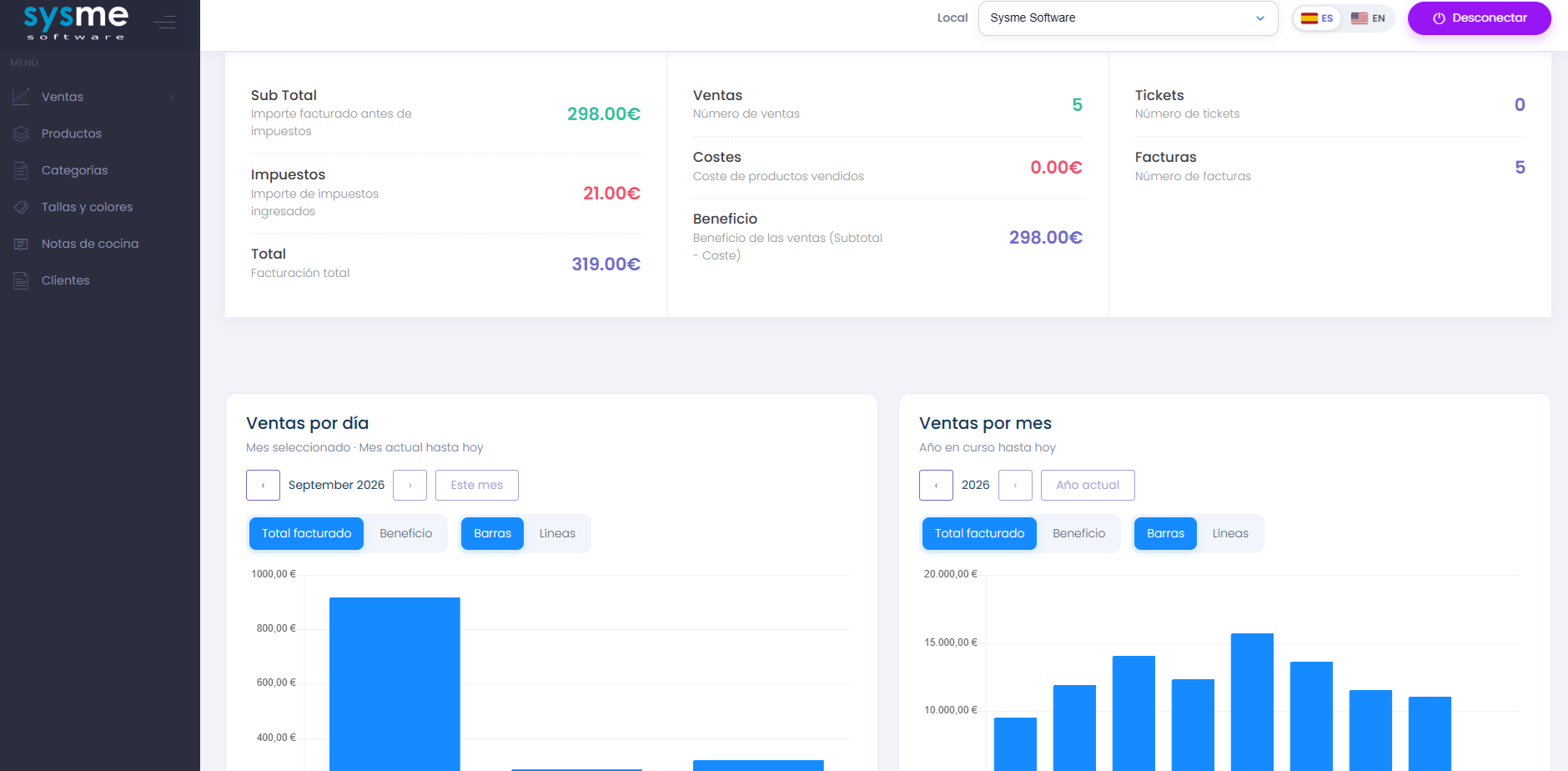
Your business, wherever you are
Sysme Cloud was originally created so business owners could check the information generated by Sysme POS without being at the premises. Today, it gives you access to much more information and allows you to carry out management tasks directly from the cloud.
Sales and invoicing
Check receipts, invoices and sales activity recorded in Sysme POS without needing to be at the POS terminal.
Products and stock
View and manage products, categories, prices, stock and different catalogue settings directly from Sysme Cloud.
Customers and cash register
Access customer information and check cash register movements synchronised from each location.
Manage products and categories from the cloud
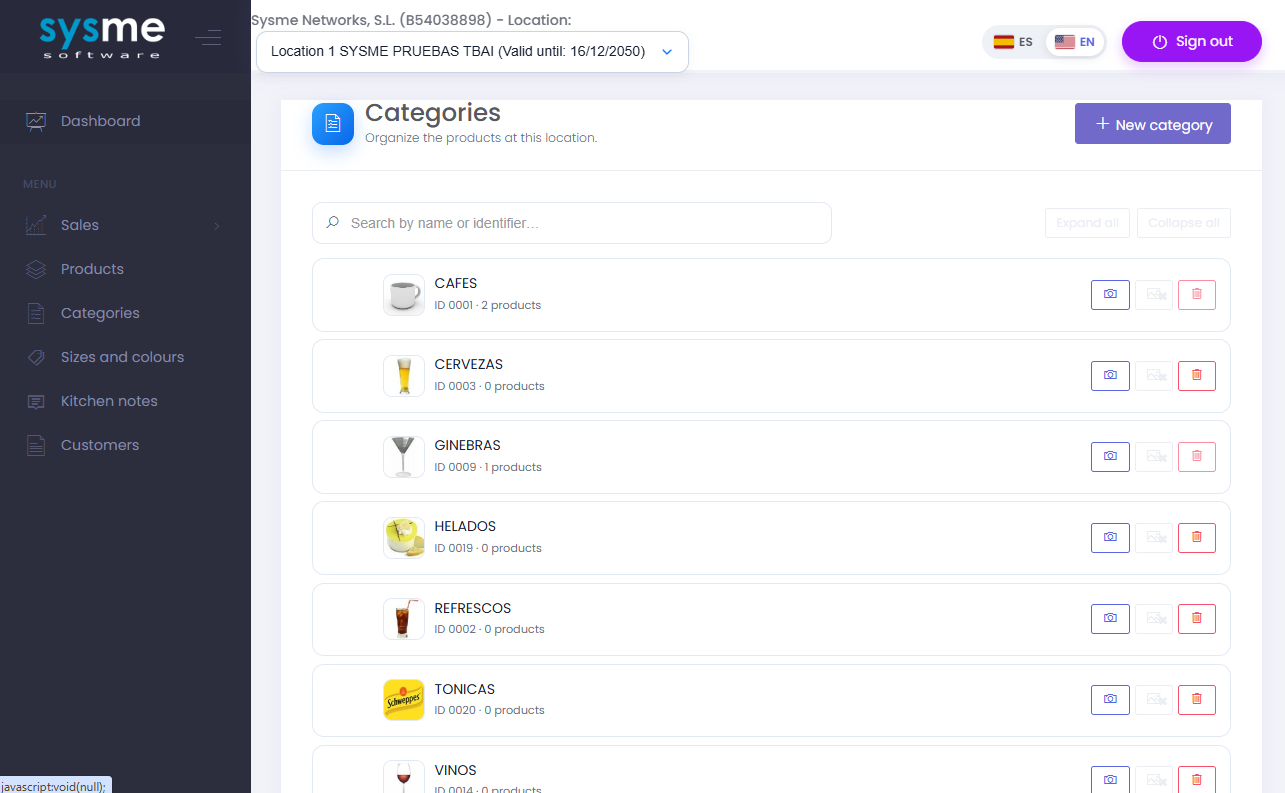
Sysme Cloud allows you to manage your catalogue without needing physical access to the computer where Sysme POS is installed.
- Create, edit and delete categories.
- Create, edit and delete products.
- Change selling prices.
- Check and update stock.
- Manage category and product images.
- Manage sizes and colours.
- Manage kitchen options and notes.
Changes made in Sysme Cloud are downloaded to Sysme POS, while changes made in Sysme POS are synchronised back to the cloud.
The complete Sysme POS catalogue
Product management in Sysme Cloud supports the different configurations available in Sysme POS, making it suitable for more complex catalogues as well.
- Simple and composite products.
- One-to-one product combinations.
- Multiple combinations with price supplements.
- Multiple combinations without price supplements.
- Lot and expiry date variations.
- Size and colour variations.
- Product composition.
- Kitchen options and notes.
This means that much of the day-to-day catalogue maintenance can be carried out directly from Sysme Cloud and then used by Sysme POS at the location.
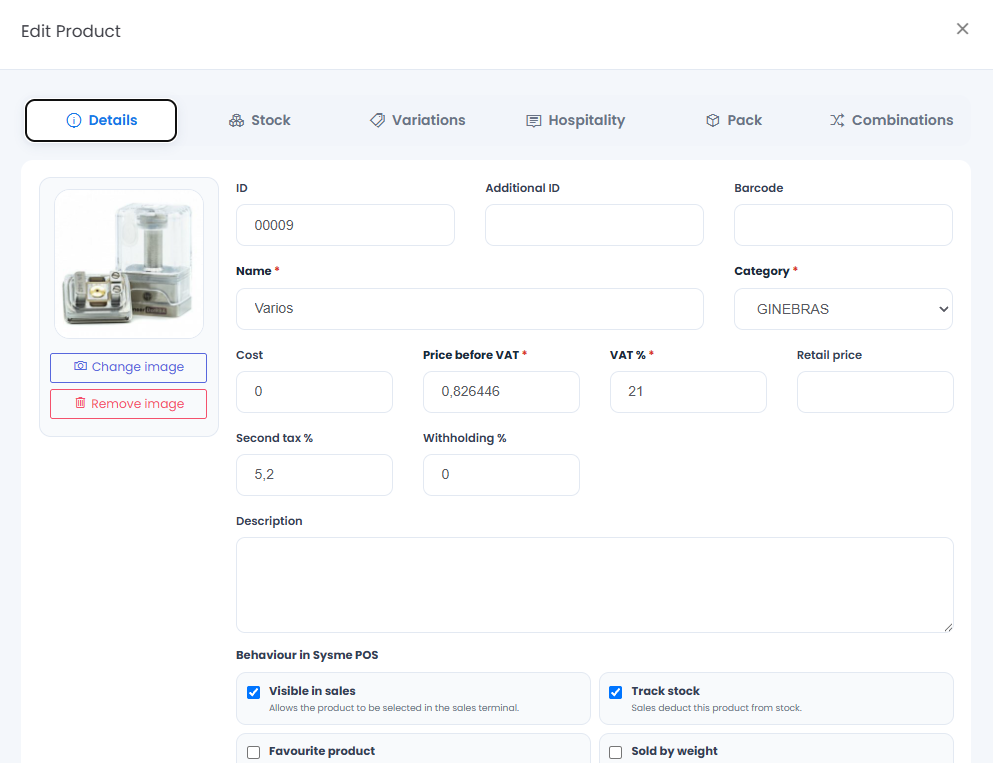
Multiple locations, one account
If your business has several locations associated with the same tax ID, Sysme Cloud allows you to access all of them using the same email address and password while keeping each location’s information separate.
Separate data
Each location keeps its own data, documents and numbering, allowing you to check the activity of every location independently.
Centralised management
Access all your locations from the same Sysme Cloud account without travelling between sites or remotely connecting to each individual installation.
Copy catalogues between locations
Copy categories and products from one location to another through Sysme Cloud, avoiding the need to recreate the catalogue manually in every Sysme POS installation.
This is particularly useful for businesses with multiple locations, chains and franchises that need to maintain and manage catalogues across different sites.
Check sales, receipts and invoices
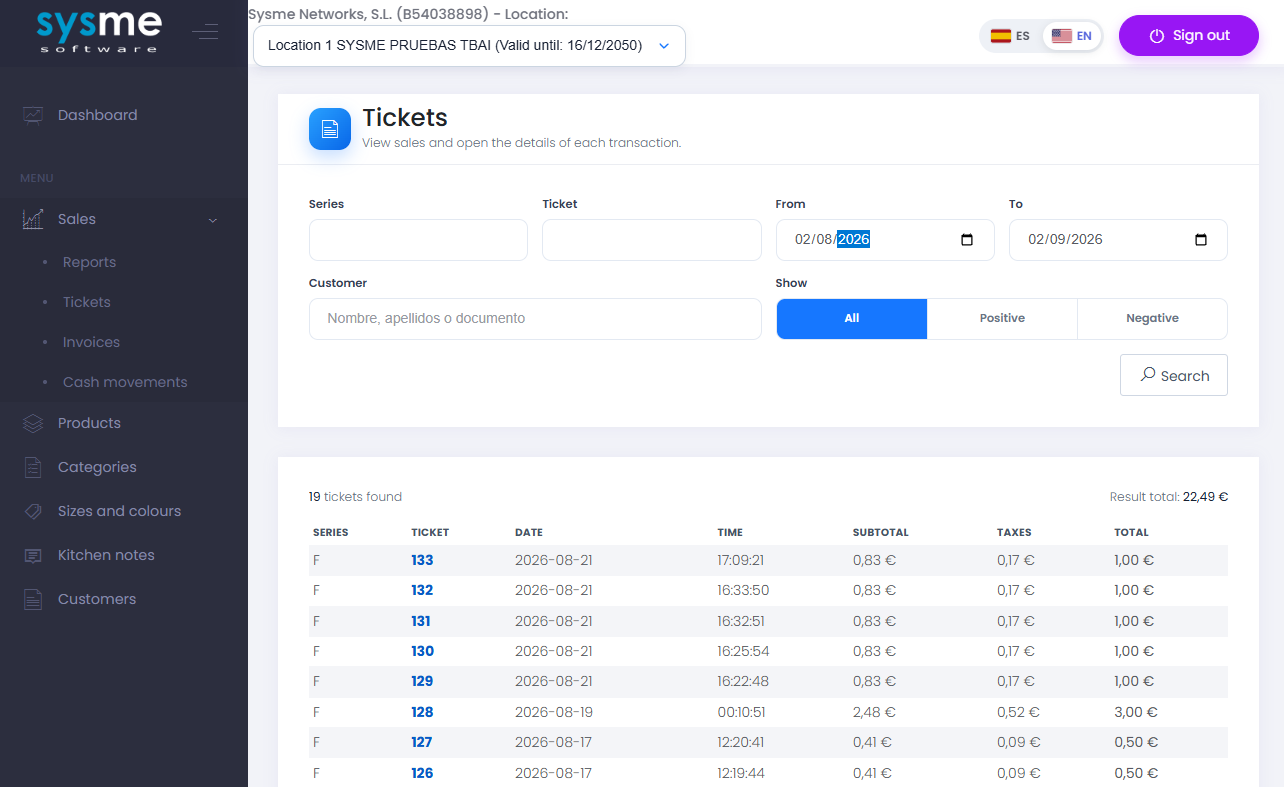
Check sales information synchronised from Sysme POS from any device.
- Sales receipt list.
- Full details for each receipt.
- Sales invoice list.
- Full sales invoice details.
- Customer information.
- Cash register movements.
Each location’s information remains separate, allowing you to check the activity of each site independently.
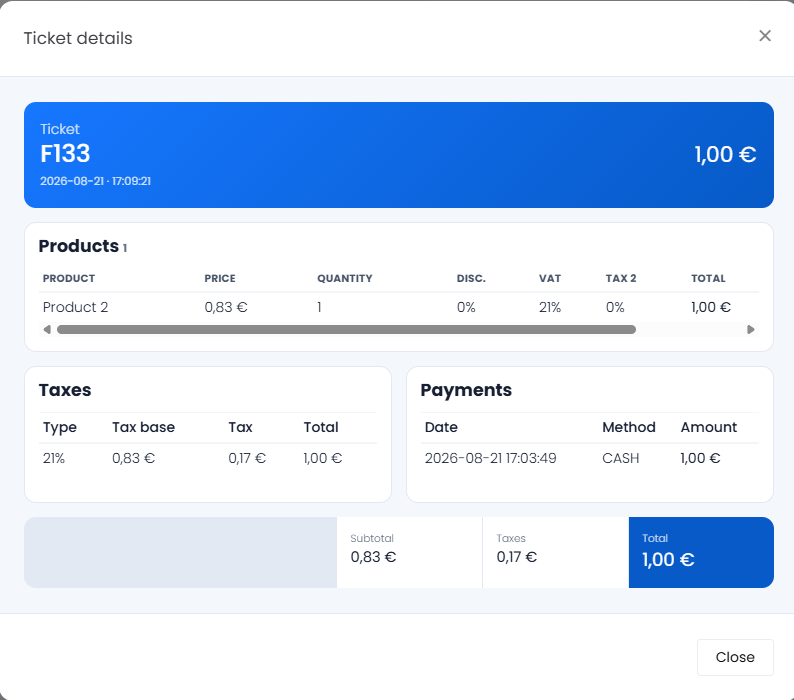
Receipt details
Check the lines, amounts and other information for receipts generated at each location.
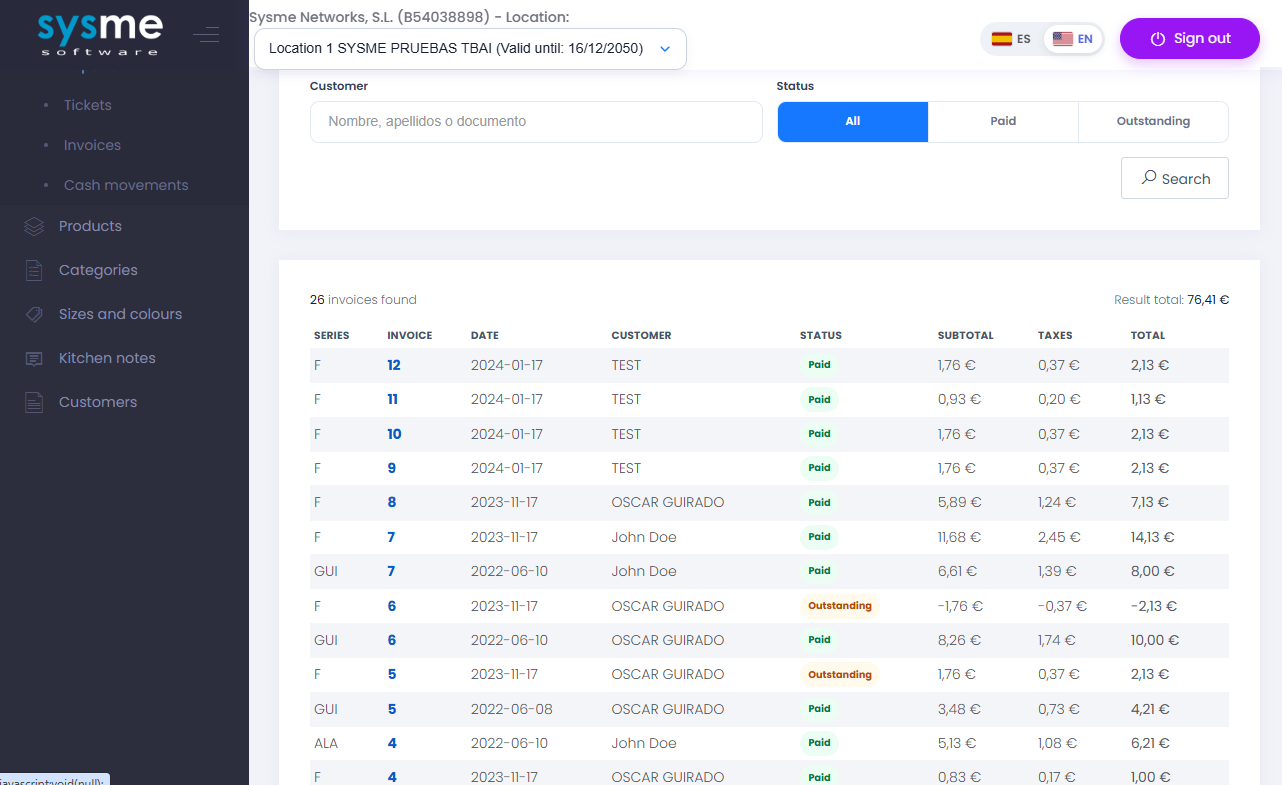
Sales invoices
Access the list and details of invoices issued from Sysme POS and synchronised with Sysme Cloud.
Sysme Cloud on your mobile too
Sysme Cloud is designed to work on computers, tablets and mobile phones. Android users can also install the official Sysme Cloud app from Google Play.
From any web browser
Access Sysme Cloud from any internet-connected device using your email address and password.
Access Sysme CloudAndroid app
Install the official Sysme Cloud app for convenient access from Android phones and tablets.
Sysme Cloud on Google PlayStart with a one-month free trial
No additional installation is required. Sysme POS is already prepared to connect to Sysme Cloud.
1. Activate Sysme Cloud
Activate Sysme Cloud from the main Sysme POS window using an email address and password, then accept the service terms.
2. Enjoy one month free
The connection is activated immediately and you receive a one-month trial of Sysme Cloud without having to purchase a subscription first.
3. Decide whether to continue
When the trial ends, you can purchase additional time for the location or deactivate Sysme Cloud from Sysme POS.
Sysme Cloud pricing
Each location connected to Sysme Cloud requires its own subscription. If you have several locations associated with the same tax ID, you can access all of them using the same account.
The first month is free when Sysme Cloud is activated from Sysme POS.
Start using Sysme Cloud
Activate Sysme Cloud directly from Sysme POS and try it free for one month to see how easily you can check and manage your business from anywhere.
