


Sysme POS Mobile extends Sysme POS to phones and tablets connected to your local network. Manage tables, take orders, send kitchen orders and control sales from anywhere in your business.
Android
Install the Sysme POS Mobile application from Google Play or through direct download.
iPhone and iPad
No application is required. Sysme POS generates a QR code that can be scanned with your iPhone or iPad camera to open the Mobile interface directly in the browser.
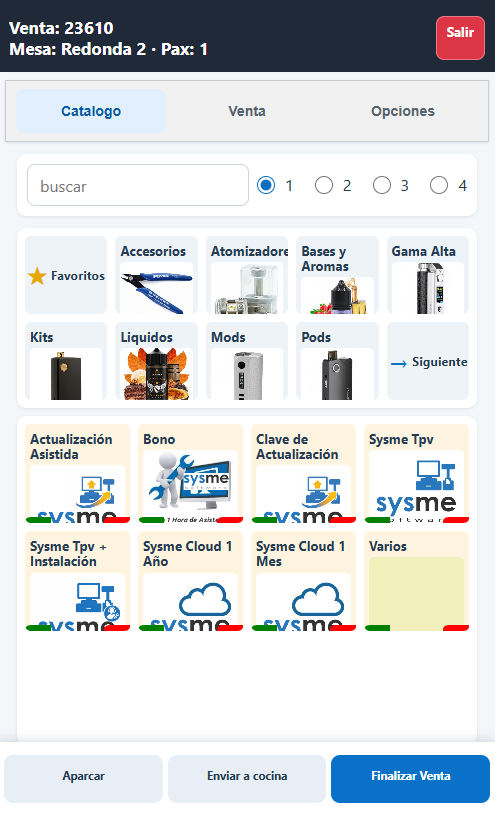
Your POS goes mobile
Access the most important sales terminal features from your mobile device and work from anywhere in your business.
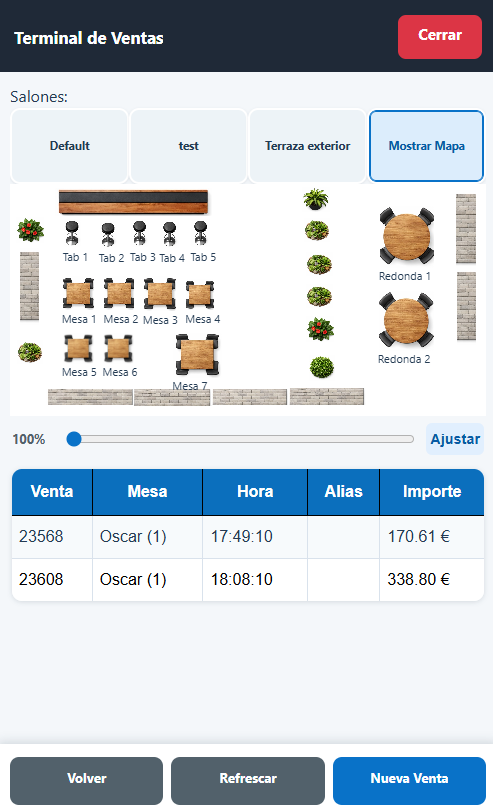
Tables and open sales
View the room map, identify occupied tables and access open sales directly from the device.
Catalogue and orders
Browse categories and products, add items to sales and take orders using an interface designed for phones and tablets.
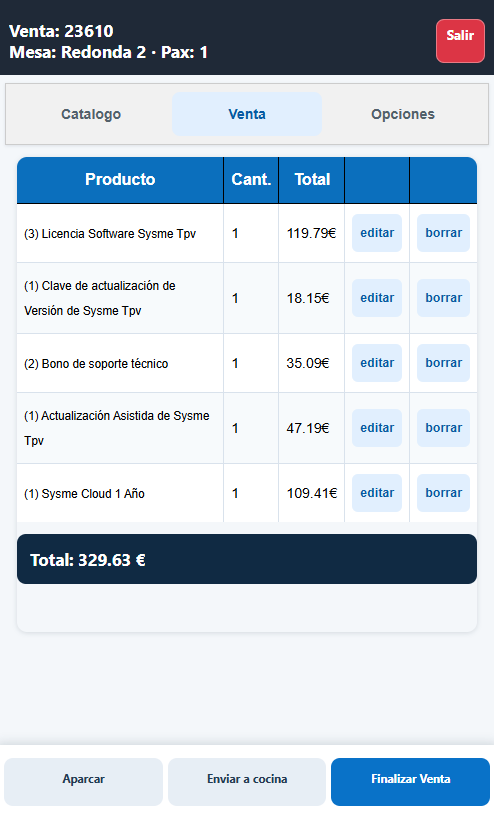
Sales control
View lines and totals, edit products, send orders to the kitchen and complete sales from the device.
Room map and open sales
View the room status from your mobile device and access open sales directly.
- Room and table map.
- Open sales access.
- Table, time and total information.
- Quick creation of new sales.
- Efficient refreshing of relevant sales changes.
Catalogue and order taking
The Mobile catalogue provides quick access to categories and products through a touch-friendly interface.
- Product search.
- Categories and subcategories.
- Product images.
- Quick quantity selection.
- Favourite products.
- Immediate access to the current sale.
Sales, orders and operation
Manage sales directly from the device without constantly returning to the main POS terminal.
- View products and totals.
- Edit and remove sale lines.
- Send orders to the kitchen.
- Park sales.
- Complete sales.
- Automatic handling of forgotten open sales.
Android, iPhone and iPad
Sysme POS Mobile can be used from different types of devices. Android users can install the dedicated application, while iPhone and iPad users can work directly from the browser.
Android
The Sysme POS Mobile application includes POS connectivity control, Android system interface adaptation and the option to keep the screen active while the app is in use.
iPhone and iPad
No specific application is required. Sysme POS Mobile works directly from the browser when the device is connected to the same local network as the POS.
QR access
Sysme POS generates an access QR code. Scan it with your phone or tablet camera to automatically open the Mobile interface in your browser.
An extension of Sysme POS
Sysme POS Mobile is not a standalone POS system.
It works together with Sysme POS installed on the main computer and uses its products, categories, tables, sales and configuration. Mobile devices must be able to communicate with the POS through the local network.
What you need
Sysme POS
Sysme POS installed and running on the main computer in your business.
Local network
The phone or tablet must be connected to a local network from which it can communicate with the POS terminal.
Mobile device
Android phone or tablet using the application, or iPhone/iPad using the web interface through the browser.
Start using Sysme POS Mobile
Install the Android application or access Sysme POS Mobile from iPhone, iPad and other devices through the web interface.
