


Sysme POS 5.39 – Review 02/09/2026
A new Sysme POS 5.39 update is now available, including several fixes and improvements to Sysme POS and Sysme POS Mobile and, most importantly, a significant expansion of Sysme Cloud functionality.
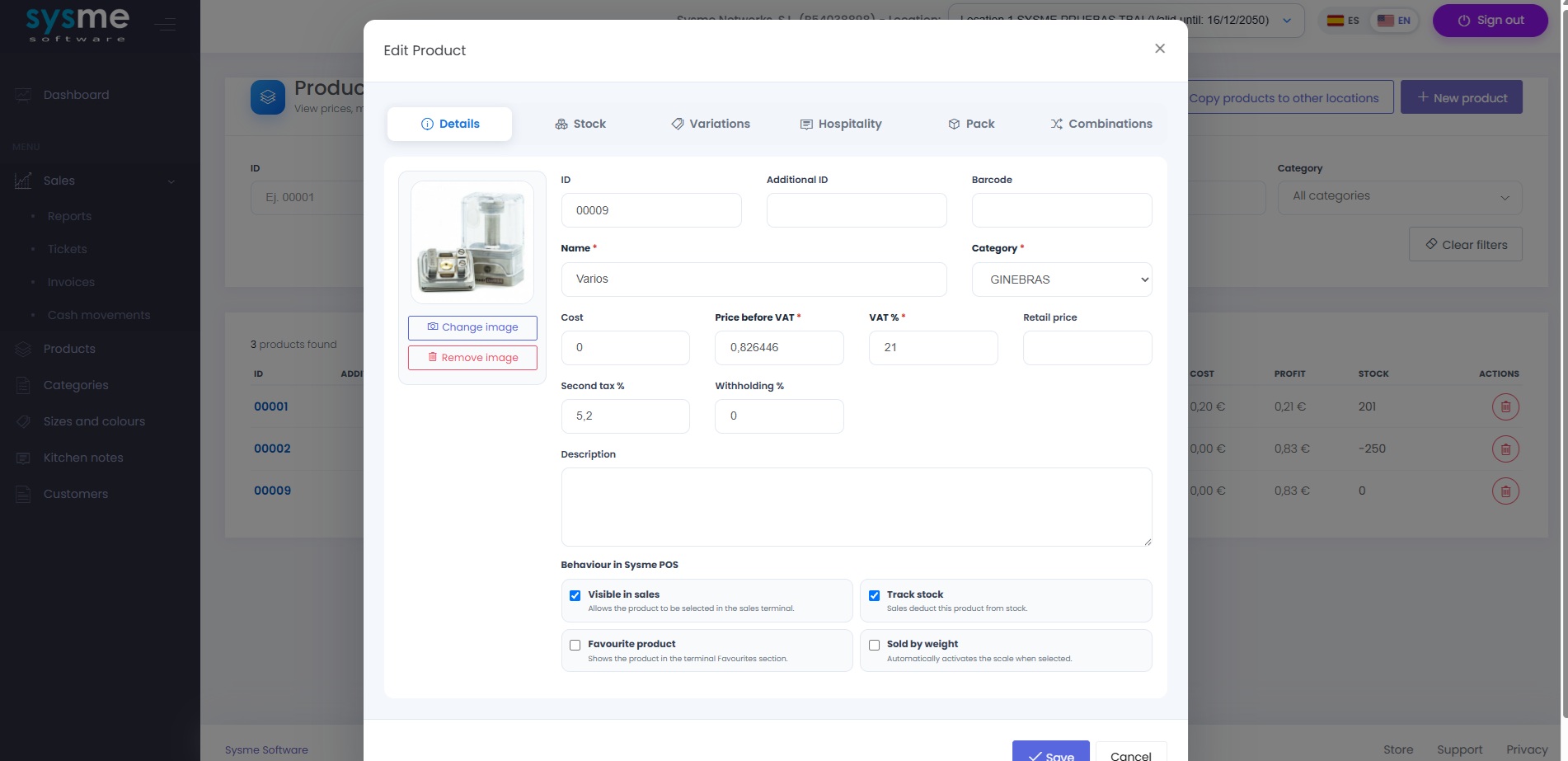
This update represents an important step forward for Sysme Cloud. In addition to accessing business information from anywhere, users can now manage part of their product catalogue directly from the cloud, keeping data synchronized with Sysme POS.
Sysme Cloud: catalogue management and synchronization
Until now, Sysme Cloud was mainly focused on accessing information synchronized from Sysme POS. With this update, we have significantly expanded its capabilities by introducing two-way catalogue management.
Sysme Cloud can now be used to:
- Create, edit and delete products, automatically synchronizing changes with Sysme POS.
- Manage products including their different configurations: packs, combinations, sizes, colours, batches, expiration dates and kitchen options.
- Create, edit and delete categories, with two-way synchronization between Sysme Cloud and Sysme POS.
- Manage product and category images.
- Manage sizes and colours, keeping them synchronized between Sysme Cloud and Sysme POS.
- Manage kitchen notes, also with two-way synchronization.
Synchronization works in both directions: changes made in Sysme Cloud are downloaded to Sysme POS, while changes made in Sysme POS are synchronized with Cloud.
Copy products and categories between locations
One of the most important new features in this update is particularly useful for businesses with multiple locations, chains or franchises.
Sysme Cloud can now copy categories and products from one location to another.
This allows businesses to prepare or maintain the catalogue for one location and transfer products and categories to other locations through Cloud, without having to create them manually in each Sysme POS installation.
This feature is particularly useful when locations are in different places and operate with independent Sysme POS installations, making catalogue maintenance considerably easier.
More improvements to Sysme Cloud
- More information is now available when viewing customer details.
- A new option to recover your password.
- Passwords can now be changed directly from Sysme Cloud.
Improvements and fixes in Sysme POS
This update also includes several fixes and smaller improvements to the day-to-day operation of Sysme POS:
- Fixed access to sales and receipt totals, ensuring they are not visible when an employee does not have the corresponding permission.
- Fixed an issue where, in certain situations, the product list was not immediately refreshed after deleting a product.
- After deleting a sales line, focus now automatically returns to the barcode field, making it quicker to enter the next product.
- Improved the quality of PDF exports.
Sysme POS Mobile
In Sysme POS Mobile, we have added a new option to control which pending sales are displayed on the open sales screen.
The system can now be configured to display only pending sales from the currently active area, or all pending sales in the establishment.
This makes it easier to adapt the open sales screen to the way each business operates.
Sysme Cloud keeps growing
With this update, we continue to expand Sysme Cloud as a companion service for Sysme POS.
Two-way catalogue management and, in particular, the ability to copy products and categories between locations significantly expand its usefulness both for businesses that need to manage their data remotely and for companies operating several Sysme POS installations.
Sysme Cloud is therefore evolving beyond remote information access into a centralized management tool for Sysme POS installations.
Download and update
You can download the latest Sysme POS 5.39 update here:
Download Sysme POS 5.39 – Review 02/09/2026
If you already have version 5.39 installed, you can install this update directly over your current installation. You do not need to purchase a new update key.
If you are using a version earlier than 5.36, we recommend using our assisted update service to ensure the update is completed correctly:
Sysme POS Assisted Update
If you have version 5.36 or later installed but do not yet have access to version 5.39, you will need an update key:
Purchase a Sysme POS update key
